

A platform built for employee calls alone will not fix a backed-up customer queue. Businesses choose better cloud communications when they start with the conversations that must work first.
Contact BluIP to map your cloud communication requirements before you choose a platform.
UCaaS vs CCaaS compares employee collaboration with customer engagement. UCaaS handles calling, meetings, and messaging for staff. CCaaS manages customer queues, routing, and service workflows. CPaaS adds APIs for embedded communication features. Many businesses need a combined plan when customer and employee workflows overlap.
The question is not which acronym wins; it is which conversations cost your teams and customers time today. In UCaaS vs CCaaS: the quick answer for business leaders, match each platform to its primary users, daily pressures, and need for integration. Start here.
UCaaS vs CCaaS: the quick answer for business leaders
In the UCaaS vs CCaaS decision, start with the conversations that must work better. UCaaS supports employees as they call, meet, and message each other. CCaaS supports teams that manage customer calls and service contacts. CPaaS adds a connection layer when communication features must work inside other systems.
The first business question
Ask where the communication problem starts. A UCaaS platform is built for internal work. It brings chat, telephony, and video conferencing into a single interface, as described in this unified communications policy. If staff need one consistent way to reach colleagues, begin with UCaaS.
CCaaS starts at the customer-facing edge of the business. It is suited to the support or sales teams that handle customer contacts. The immediate choice is not a product checklist. It is the outcome and workflow your business must improve first.
- Choose UCaaS first when employee calling, messaging, and meetings are the priority.
- Choose CCaaS first when customer support or sales interactions are the priority.
- Plan for both when employees and customer-facing teams must share context and routes.
Where CPaaS fits
CPaaS does not replace that first choice. It supports tailored connections and communication features within business applications. An Internet2 communications overview describes CPaaS as a flexible platform that uses APIs for communication feature integrations. Use it when standard tools need to connect with a defined workflow or app.
For example, a business may need employees to collaborate in one environment and agents to respond in another. Integration can keep the handoff focused on the work rather than separate system labels. The decision still starts with internal communication, customer interaction, or both.
A practical selection lens
Business leaders should map the choice to users, interaction types, and integration needs. Start by naming the employees or agents affected by the change. Then note whether their core work is internal collaboration or customer engagement. That sequence keeps the evaluation centered on operating needs, not broad category definitions.
If internal collaboration is the starting need, use those requirements to select enterprise UCaaS providers. If customer interactions lead the case, assess contact center needs alongside any handoffs to employees. If both matter, review how UCaaS, CCaaS, and CPaaS can work together before selecting a platform path.
What UCaaS, CCaaS, and CPaaS actually do
Quick takeaway: UCaaS is best when the primary problem is employee communication. CCaaS is best when customer conversations need routing, supervision, and reporting. CPaaS is best when a business application needs embedded voice, messaging, or workflow triggers.
For business buyers, the ucaas vs ccaas question starts with the work each platform handles. UCaaS connects employees, CCaaS manages customer contacts, and CPaaS adds communication steps inside apps and workflows. Each serves a clear role, and some organizations use more than one.
UCaaS for staff communication
Unified Communications as a Service (UCaaS) combines day-to-day workplace tools in one cloud service. A unified communications policy describes this model as joining chat, telephony, and video conferencing on one platform. In practice, it replaces separate phone, meeting, and team messaging systems.
UCaaS fits people who need to call a colleague, join a video meeting, or send a team message. It is the company phone system and collaboration layer. Staff use it for routine work across an office, a hotel property, a clinic, or several business sites.
The buying focus is access and consistency. IT teams look at number management, user setup, device support, and meeting access. The goal is a shared work tool, not an agent queue for public requests.
- Business calling and extensions for employees.
- Video meetings for remote or multi-site teams.
- Team messaging that keeps internal conversations in one place.
CCaaS for customer contact
Contact Center as a Service (CCaaS) is built for service and sales interactions with customers. Instead of connecting coworkers first, it directs incoming contacts to the right team. Common functions include call queues, interactive voice response (IVR), agent routing, and reports that show contact trends.
A guest calling a hotel, a patient reaching a care team, or a diner contacting a restaurant group creates customer-facing demand. CCaaS helps agents handle that flow across voice and digital channels. Buyers comparing platforms can also review how to choose the right CCaaS platform for routing, reporting, and service needs.
This distinction shapes the requirements list. Buyers may ask how calls reach available agents, when an IVR handles a request, and what reports help supervisors plan coverage.
CPaaS for embedded workflows
Communications Platform as a Service (CPaaS) gives a business building blocks instead of a ready-made staff or agent desktop. Internet2 describes CPaaS API integration as a flexible way to add communication features. It can connect an application action to a message, call, or notification.
For example, a booking system can trigger an SMS update, or an app can send a reminder after a status change. CPaaS can also bridge communication systems through tailored workflows. This differs from UCaaS, which serves employee conversations, and CCaaS, which organizes customer contacts for agents.
CPaaS is useful when the communication action must follow a business event. A health care office may send appointment alerts, while a hospitality team may send arrival updates. The system behind the workflow sets the trigger, and the communication service sends the message.
UCaaS vs CCaaS vs CPaaS feature comparison
Selection shortcut: Choose UCaaS for internal collaboration, CCaaS for customer-contact operations, and CPaaS for custom application workflows. If a customer interaction regularly needs back-office help, evaluate UCaaS and CCaaS together instead of buying disconnected tools.
Reading the feature map
A UCaaS vs CCaaS comparison starts with the work each platform must support. UCaaS helps employees call, meet, and message in one cloud system. CCaaS organizes customer conversations across service and sales channels. CPaaS adds communication functions to apps and workflows through APIs.
The difference is not just a product label. An Internet2 cloud communications overview describes UCaaS as an enterprise communications suite and CPaaS as a flexible integration platform. That split helps teams assess whether they need ready-to-use tools, customer engagement operations, or custom connections.
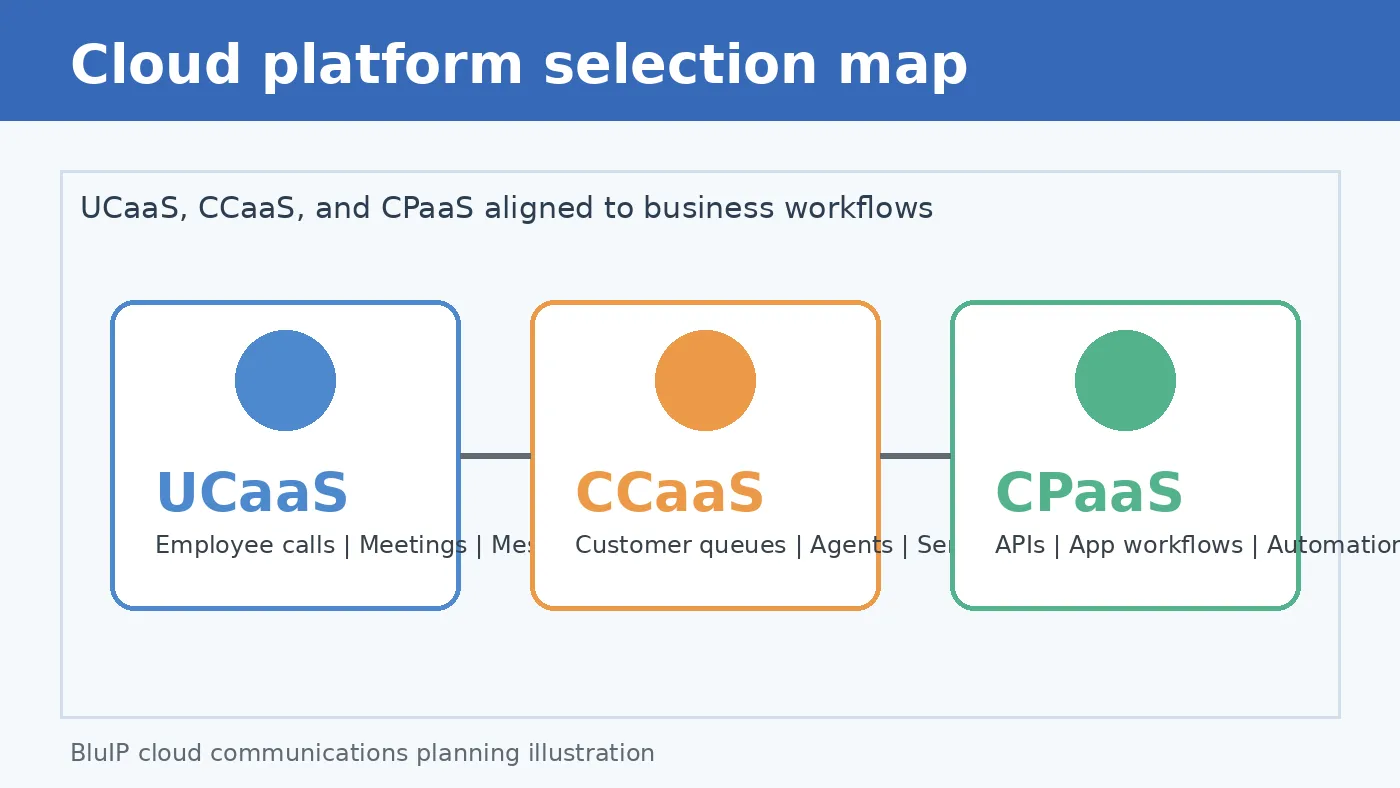
| Point. | UCaaS. | CCaaS. | CPaaS. |
|---|---|---|---|
| Primary users. | Employees and managers. | Agents and service teams. | Developers and product teams. |
| Main purpose. | Connect internal communication. | Manage customer conversations. | Embed communication in workflows. |
| Common features. | Cloud calling, video, messaging, and presence. | Routing, queues, service channels, and reporting. | APIs, messaging, voice functions, and workflow links. |
| Best-fit teams. | Distributed offices and knowledge workers. | Support, reservations, patient access, and sales. | Teams building custom experiences. |
| Implementation focus. | User setup, calling plans, and adoption. | Routing design, channels, and agent workflows. | Integration design, testing, and app logic. |
| Business outcome. | Clearer staff collaboration. | More consistent customer service. | Communication tailored to a process. |
Matching the platform to the need
A table narrows the field, but it does not make the purchase decision. Review call flows, user roles, data access, and channel demand before choosing a platform. Note where staff collaboration ends and customer service begins. Then note where an app or workflow needs a communication link.
Use the table by naming the problem first. If staff need one place for voice, video, and messages, start with UCaaS. If customer contacts must reach the right agent across channels, assess CCaaS. Teams comparing vendors can review how to choose the right CCaaS platform for routing, reporting, and service needs.
CPaaS becomes relevant when a standard platform does not fit the workflow. A hotel may connect guest messages to reservation steps. A health care team may connect reminders to an approved process. A restaurant group may want location-based call flows. Implementation should address access, privacy, testing, and ongoing support before added automation goes live.
These choices can also work together. An organization may use UCaaS for staff, CCaaS for customer contacts, and CPaaS for workflow links between systems. BluIP’s AI Virtual Agent Connect Platform is a relevant next step for teams mapping communication tools to operations and integration goals.
When should your business choose UCaaS?
Signals that UCaaS should come first
In a UCaaS vs CCaaS decision, choose UCaaS first when employee communication is the main problem. It gives staff one cloud-based place for business calling, messaging, and video meetings. This is a stronger first step than a contact center system when daily work is slowed by separate tools.
A unified communications policy from the University of Mount Union describes tools for internal business use, including telephony, chat, and video conferencing. That fit matters for hybrid teams, field teams, and staff who move among sites.
- Employees use separate phone, chat, and meeting systems for the same work.
- Remote and on-site staff need a common way to call and collaborate.
- IT spends time managing old phone hardware, carriers, or many service bills.
- Your first need is staff communication, not routing customer contacts to agents.
PBX replacement and Teams voice
UCaaS is often the practical next move when a legacy PBX limits change. A cloud calling plan can reduce the need to maintain local phone equipment. It also gives IT one service model for extensions, call rules, users, and site moves.
The same choice applies when Microsoft Teams is already central to internal work. Adding business voice there can reduce switching between a meeting app and a phone platform. BluIP’s KB identifies Microsoft Operator Connect as a strategic partnership, supported by its own telecom infrastructure.
For a migration plan, first list your sites, numbers, calling needs, and user groups. Then select enterprise UCaaS providers that can support that scope, plus required service and compliance needs.
Where UCaaS fits with CCaaS
Choosing UCaaS first does not mean every customer-facing need is solved. CCaaS is the better starting point when service teams need contact routing and omnichannel customer interactions. A business may need both when staff collaboration and customer care each have clear gaps.
The key question is which workflow needs repair first. If the pain begins with internal calling, collaboration, or a PBX replacement, start with UCaaS. BluIP’s cloud communication approach can bridge systems when internal voice and customer engagement must work together.
When should you choose CCaaS instead?
In a UCaaS vs CCaaS decision, choose CCaaS when customer conversations drive the workday. It fits service, sales, and booking teams that handle inbound demand across channels. UCaaS can connect coworkers, but it is not the main tool for managing customer queues.
High-volume customer contact
CCaaS is the stronger fit when agents spend their shifts answering customers, not only speaking with coworkers. Choose it for reservation desks, patient access teams, order support, or sales groups with shared queues. These groups need each inquiry sent to an available agent with the right skill.
A contact center also needs rules for busy periods, after-hours coverage, transfers, and escalations. This need is not limited to one industry. For example, a University of Arizona CCaaS request covers contact center support for its online student programs. The setting differs, but the routing need is familiar.
One customer journey across channels
Choose CCaaS when calls are only one part of the customer story. A guest may start in chat, call about a change, and send a follow-up message later. Omnichannel routing helps the next agent view context and respond without asking the customer to start over.
This is where the platform choice affects customer experience. Routing, queue history, quality review, and analytics support more consistent service across customer-facing teams. Before comparing vendors, use a clear process to choose the right CCaaS platform for your channels and workflows.
Operational control for service teams
CCaaS becomes more useful when managers need insight into demand and staffing. Analytics can show queue trends, wait pressure, resolution patterns, and channel shifts. Workforce management can then help teams plan coverage around expected contact loads.
Look for this fit when supervisors must review service levels and adjust agent schedules as customer demand changes. Ask whether the team needs reporting by queue, channel, shift, or issue type. These needs point to a contact center platform rather than a staff calling tool.
That matters where a missed interaction may mean a lost booking, a delayed answer, or a poor service experience. A healthcare access group, hotel reservation team, or restaurant support desk often needs customer workflows beside internal collaboration. In that case, CCaaS should lead the decision, while UCaaS can still support staff communication.
Where does CPaaS fit in the decision?
When teams compare UCaaS vs CCaaS, CPaaS should not be treated as a third replacement choice. It fills gaps where communications must connect to a business process, app, or customer event.
A programmable connection layer
UCaaS brings voice, messaging, meetings, and team collaboration into a cloud service. CCaaS supports customer contact flows, routing, agent work, and channel management. CPaaS adds programmable voice and messaging to workflows or existing systems.
An Internet2 cloud communications overview defines CPaaS as a flexible platform for communications feature integrations through APIs. This role matters when a standard communication suite does not match each work step.
When an added layer makes sense
CPaaS is useful when a company has a clear trigger and a clear response. A booking event may trigger a text update. A missed call may launch a callback workflow. A service request may send status messages from the system that holds the record.
BluIP provides no-code and low-code integration capabilities to bridge communication systems. This can help teams connect workflows without replacing UCaaS or CCaaS tools that already serve their main purpose.
- Restaurants: send order-ready alerts, route overflow calls, or tie reservation updates to guest messages.
- Hospitality: connect booking updates, arrival instructions, or service requests with staff and guest communication flows.
- Healthcare: connect approved appointment reminders or call-routing steps with current systems and required privacy controls.
A fit question, not a product contest
Start by asking whether staff communication or customer contact handling is the main need. Then look for workflow gaps. These include system events that need voice, text, routing, or an automated handoff.
If the main need is contact center performance, review how to choose the right CCaaS platform. Add CPaaS when selected integrations make that operation work better across real customer journeys.
How to choose the right UCaaS vs CCaaS platform fit
A decision based on work, not labels
In a UCaaS vs CCaaS decision, start with the work each group must do. UCaaS serves daily voice, video, and messaging for employees. CCaaS supports customer conversations, queues, routing, and service workflows. CPaaS adds communication features through APIs, as outlined in this cloud communications comparison.
The right choice may not be one category. A hotel group, health network, or restaurant chain may need employee calling and customer service in one plan. Leaders should compare operating needs, integration effort, risk, and rollout load before reviewing vendor feature lists.
Build a short requirements matrix before asking for pricing. Include user roles, channels, integrations, data controls, support owners, and rollout limits. This gives operations and IT one basis for scoring each option.
A six-step selection framework
Use this sequence to turn a platform discussion into a buying decision. It keeps the review centered on users, customer demand, and the work needed to deploy and support the system.
Talk to BluIP if your UCaaS vs CCaaS requirements span multiple teams, locations, or customer journeys.
-
Map each user group. List office staff, remote teams, front-line locations, agents, supervisors, and IT administrators. Mark which groups need collaboration tools, customer handling tools, or both.
-
Measure customer interaction demand. Review call peaks, queue needs, channels, transfers, and after-hours coverage. High customer-contact demand can point toward CCaaS, while broad staff communication needs can support UCaaS.
-
List the systems that must connect. Include CRM, property systems, scheduling, payment, identity, analytics, and Microsoft Teams. If custom workflows matter, assess CPaaS or a combined platform rather than adding separate tools later.
-
Set security and compliance gates. Define required access controls, recordings, retention, audit needs, and industry rules before a demo. Ask vendors how data moves across calls, messages, applications, and third-party integrations.
-
Test service and support readiness. Ask who handles number moves, network issues, reporting changes, and urgent outages. Check response paths for each location and for the internal team that owns the platform.
-
Plan rollout complexity. Compare standard setup with tailored workflows, user training, migration timing, and pilot requirements. Assign owners and success measures before selecting a platform or combined approach.
Turning requirements into a shortlist
Score each option against the six steps, not against a long feature sheet. UCaaS can fit organizations focused on staff collaboration, while CCaaS fits customer-facing operations. CPaaS is relevant when applications must carry tailored communication experiences. Teams comparing contact center choices can also use this guide to choose the right CCaaS platform.
Ask finalists to price the same use case and show the same workflow. Compare licenses, usage charges, service duties, training needs, and the cost of future change. A clear comparison helps finance review cost without losing operational context.
A combined platform can reduce handoffs when staff and customer workflows overlap. Before a final choice, request a workflow demonstration that mirrors an actual location, queue, or service team. BluIP’s AI Virtual Agent Connect Platform is one option to evaluate against those mapped requirements.
Do you need UCaaS and CCaaS together?
When both platforms fit the job
Choosing between UCaaS vs CCaaS is not always an either-or decision. UCaaS serves staff communication, while CCaaS organizes customer conversations and contact center work. A business may need both when employees must answer customers, involve specialists, and continue service across departments.
An institutional definition of UCaaS includes chat, telephony, and video tools in one cloud platform. CCaaS adds the customer-facing workflow for calls and digital contacts. Together, they can link daily teamwork with the support experience customers receive.
Using two connected services does not mean every staff member needs contact center tools. Office users may need calling, meetings, and messaging. Agents need queues, routing, recordings, and customer interaction tools. A shared plan keeps these needs distinct while reducing breaks between them.
One identity and clearer operations
A joined approach can give users one sign-on path, one directory, and simpler role management. That helps IT add staff, remove access, and apply call rules with less duplicate setup. It also makes ownership easier to trace when a customer issue moves between teams.
Reports help more when service data and staff activity can be viewed in context. Leaders can see whether a queue needs more agents, quicker expert help, or a routing change. For teams comparing UCaaS vs CCaaS, separate tools may leave gaps in the service story.
Handoffs without repeated questions
Customer care rarely stays within one queue. A booking change, clinic request, or order problem may need support staff and a specialist. With connected UCaaS and CCaaS tools, an agent can reach the right colleague while retaining useful conversation context.
BluIP offers UCaaS and CCaaS capabilities, with NICE CXone integration in its platform approach. Readers planning customer workflows can review BluIP’s CCaaS solutions for customer engagement and analytics. An integrated plan should set routing, handoff rules, identity controls, and reports for steady support.
The case is strongest when service staff often consult people outside the contact center. Hotels may connect guest requests to property teams. Clinics may route nonclinical scheduling tasks across locations. Restaurant groups may need a standard response path for many sites.
Start by mapping the contacts that cross team lines. List which roles need customer context, which reports supervisors use, and which systems hold user records. This process shows whether separate products create extra steps. It may also show that an integrated model fits the work.
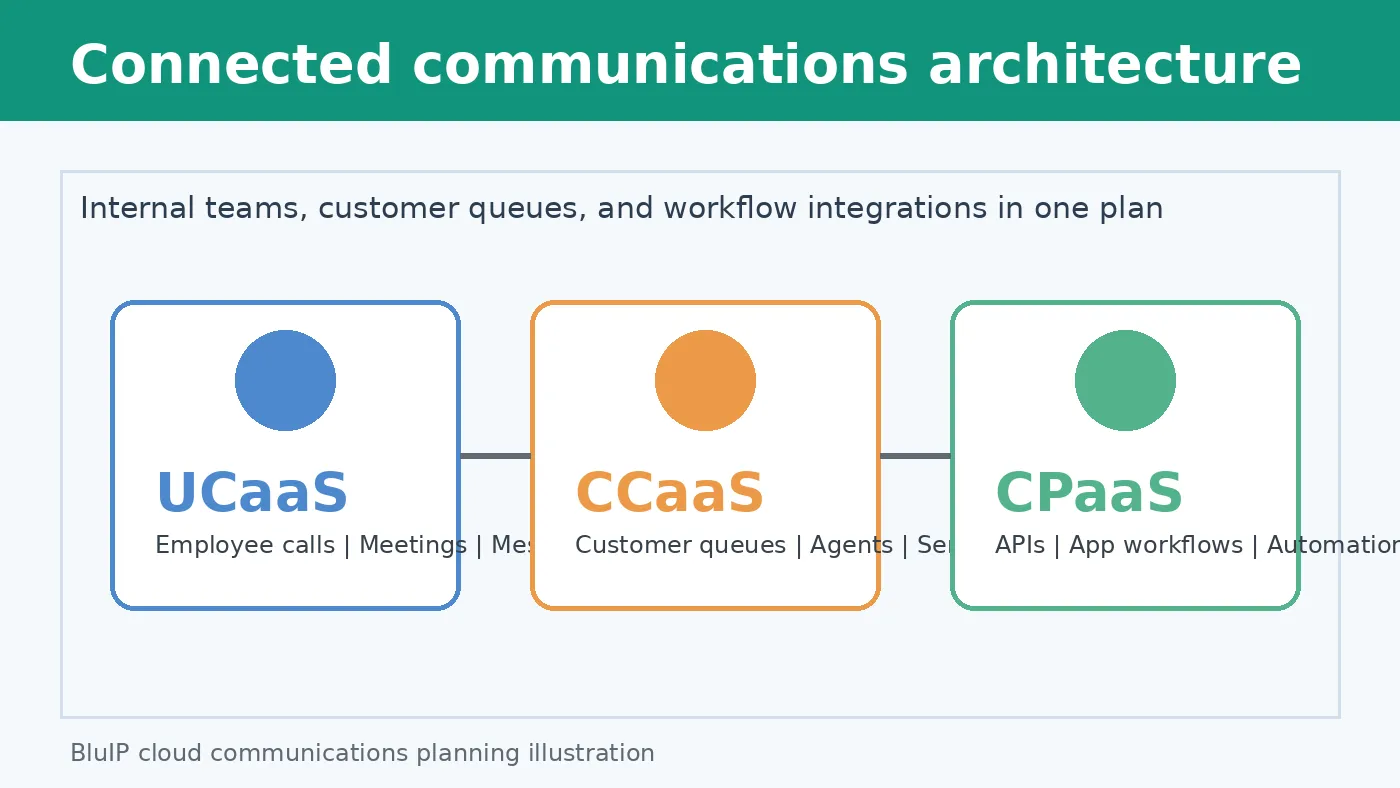
Contact BluIP before finalizing a platform shortlist so your team can validate workflows, integrations, and deployment priorities.
Frequently Asked Questions
Do I need UCaaS or CCaaS for my business?
Choose UCaaS when employees need one cloud system for calling, messaging, and video collaboration. Choose CCaaS when service or sales teams manage customer conversations across channels, queues, and workflows. A business with both needs may require both platforms. The BluIP cloud communications overview identifies UCaaS with internal teamwork and CCaaS with customer-facing interactions.
Can I combine UCaaS and CCaaS in one platform?
Yes. Combining UCaaS and CCaaS can connect customer-facing agents with employees who provide answers, approvals, or specialized support. This approach may reduce handoffs between separate communication tools. Platform selection should still review call routing, collaboration features, integrations, security, and support requirements. According to BluIP, modern providers can bundle UCaaS and CCaaS capabilities in one platform.
How does CPaaS differ from UCaaS and CCaaS?
CPaaS adds communication features to applications through APIs or integration tools, rather than supplying a complete employee or contact center workspace. UCaaS supports internal collaboration, while CCaaS supports customer interaction management. The Internet2 UCaaS webinar describes CPaaS as flexible, developer-friendly, and focused on application integration and targeted user experiences.
When should a business add CPaaS to UCaaS or CCaaS?
A business should consider CPaaS when standard communications software does not fit a specific workflow. Examples include embedding notifications, appointment updates, call flows, or messaging inside an existing application. CPaaS can bridge communications systems without replacing every core platform. BluIP describes CPaaS integration capabilities as a way to connect UCaaS and CCaaS systems.
Ready to choose the right cloud platform?
Delaying a platform decision can leave teams managing fragmented tools, unclear priorities, and buying discussions that do not match daily communication needs. Starting now gives stakeholders time to map workflows, identify integration questions, and define the customer and employee experiences the platform must support. With a clear plan, your business can move toward a practical platform decision built around current needs and future priorities.
Ready to choose with confidence? Contact BluIP to discuss the right cloud communication platform for your business.
Start the conversation now to clarify your requirements, compare possible paths, and establish the next step for your team. A focused discussion can help you avoid assumptions before making a platform commitment or investment.